
PRACTICAL BUYING GUIDE
AOSEED X-MAKER JOY AI+ vs X-MAKER AI+: which should you choose?
Compare app-led projects, on-printer controls and printing space without confusing family names, AI+ revisions or filament bundles.
The useful starting difference is a smaller app-led JOY workflow versus the larger X-MAKER with on-printer touchscreen control. Confirm the AI+ revision on the actual listing: AOSEED’s current pages often use the shorter JOY and X-MAKER family names, and not every specification is consistently labeled by generation.
Manufacturer sources checked November 20, 2026. Research-based buying guidance, not hands-on testing.

AOSEED X-MAKER JOY AI+ (8 PLA set)
Read the complete review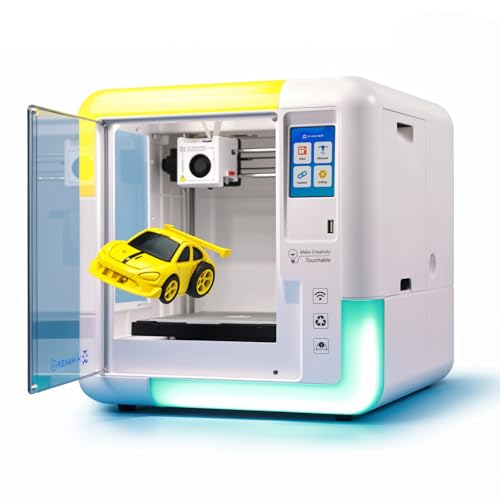
AOSEED X-MAKER AI+ (1 PLA set)
Read the complete review| Buying question | JOY AI+ selection reviewed here | X-MAKER AI+ selection reviewed here |
|---|---|---|
| Printing space in family references | 120 × 120 × 120 mm | 150 × 150 × 150 mm |
| Control distinction | App-led; family comparison shows no printer screen | App and on-printer touchscreen in family comparison |
| Material distinction | PLA-focused configuration | Family page lists PLA and ABS; controls must suit the material |
| Exact reviewed Amazon bundle | Eight-PLA set | One-PLA set |
Which fits the projects you want to make?
Start with two or three designs rather than the size of a model library. A small badge and a larger school-project housing ask different things of the printing area. The larger envelope can help if a measured design fits it but not the smaller machine. It does not guarantee that a complex part will print without support, finishing or redesign. Avoid buying extra capacity simply because it sounds more advanced.
Does your family want controls on the printer?
AOSEED’s family comparison distinguishes app-led JOY control from X-MAKER’s app-and-touchscreen arrangement. Think about the device you will actually use and who will manage it. An on-printer screen may be useful when checking a job beside the machine, but it does not remove file preparation or adult responsibility. Ask for an exact AI+ manual if a particular screen function is important to your decision.
Does a larger PLA bundle mean automatic multicolor?
No such conclusion follows from the number of spools. Our JOY review covers the eight-PLA selection and the X-MAKER review covers a one-PLA selection; supplies and hardware are separate questions. If a model needs several colors in one object, ask which color-change method the exact machine supports and what an operator must do. Do not count a collection of filament colors as an included automatic feeder.
Which is the better printer for children?
Both exact reviewed models have a documented manufacturer designation for children. That is not a safety certification or a reason to remove adult supervision. Fit the choice to the child’s project and the adult’s willingness to manage setup, material changes and maintenance. A listed age range is not a substitute for reading the matching manual. Do not interpret an enclosure or material-marketing phrase as proof of safe exposure in a child’s room.
Why are some AOSEED specifications still qualified?
The current family comparison, product pages and older revision-specific wording do not agree on every speed, library count or connection detail. Some pages omit the AI+ suffix. We use the stable project and control distinctions as buying guidance, and do not promise that every family-page feature belongs to every Amazon selection. Ask support to match the model, revision, firmware and manual before relying on a detail that could change your purchase.
Our practical choice
Shortlist JOY when your measured small projects suit an app-led process. Shortlist X-MAKER when a specific larger design or on-printer controls justify the difference. For either, keep the normal project material, current app requirements, spare parts and return terms on your checklist. If a capability remains unclear, it is better to resolve it before purchase than choose from a higher advertised speed or a larger supplied filament set.